Every process, one platform.
PeexHR is a modular management platform built around your business, letting you run HR, attendance, purchasing, expenses and fleet from a single panel.
Teams on PeexHR save hundreds of hours a month and cut management costs by 40%
- 120 hours
Saved every month
Manual timesheets, leave tracking and report preparation are gone entirely.
- 40%
Lower software spend
Separate licences for HR, attendance, expenses and fleet became one package.
- 3 days1 hour
Expense approval time
The approval chain went digital and feedback arrives the same day.
A closer look at the product
Manage it anytime, from anywhere
Main page
Headcount by unit
- Operations44.9%
- Finance15.9%
- Sales and Marketing13.0%
- Technical Services10.1%
- Supply Chain7.0%
- Export4.1%
- Quality2.9%
- Outside the org chart2.0%
Leave
- Nur Sevim Özer7 days29 Sep – 5 Oct
- +2 more people
- Tolga Yazıcı3 days1 – 3 Oct
- Ece Naz Tunç1 day2 Oct
- +1 more person
Waiting for approval
18leave requests waiting for approval
- Derya Nur Kaplan2 h agoAnnual leave · 6 – 8 Oct · 3 days
- Yusuf Emir KaracaYesterdayExcused leave · 2 Oct · half day
- Gamze Ilgaz27 SepAnnual leave · 12 – 16 Oct · 5 days
Latest announcements
- Hygiene and quality standards on the production lineWhole company · 17 Sep97%read
- About overtime managementSoftware · 14 Aug100%read
- Wearing high-visibility vests on siteBursa Fabrika · 21 May82%read
Upcoming events
- 3OctNew product launch meeting20:08Bursa Fabrika
- 9OctOccupational health and safety training09:00Ankara Ofis
Testimonials
What do people say?
Users across departments explain what changed after they moved to PeexHR.

“I can see the gap between budget and actuals without waiting for month end.”
Mustafa Kaya · Finance Manager “Closing attendance went from three days to half a day. Nobody fills in a spreadsheet any more.”
Deniz Arslan · HR Specialist “Requests, quotes and orders run in one flow. The email traffic with suppliers is gone.”
Elif Demir · Purchasing Manager “We track maintenance and fuel costs per vehicle on a single screen.”
Onur Şahin · Fleet Supervisor
Fast adoption
How does the switch work?
Set up
Decide which steps a request passes through, and configure the workflow and approval order once.
Set up
Define expense types, spending limits and approval stages to match your company policy.
Set up
Define the org chart, headcount and leave rules in a single pass.
Set up
Define shift, overtime and tolerance rules, then connect your terminals and mobile check-in.
Set up
Register vehicles, drivers and assignments by number plate.
Request and approve
An employee raises what they need in PeexHR, and it moves through the approval flow you defined.
Spend and document
Employees upload receipts from their phone and raise advance requests on the same screen. Documents attach to the record straight away.
Records and leave
Employee details, contracts and documents live in one file, and leave requests enter the approval flow.
Clock in and out
Movements land in real time, and short hours and overtime are calculated automatically.
Track usage
Trips, mileage and fuel build up on the vehicle record, and inspection and insurance dates are flagged before they lapse.
Source and track
An approved request moves into sourcing: quotes are collected, the order is placed, and delivery and accounting steps are recorded. You follow the whole process on one record.
Approve and post
An approved expense becomes an accounting entry; payment, settlement and remaining advances are tracked in one place.
Report
Pull turnover, headcount and personnel cost reports from ready-made templates, and export them.
Timesheets
Month-end attendance closes in one step, ready to hand to payroll.
Cost
Report maintenance, fuel and depreciation per vehicle, and see the fleet's cost as a whole.
Stop losing time — set your modules up now.
Pick the modules you need and create your account in minutes. Try every feature free for 14 days, and continue whenever you like.
Carry it with you
Approve and track from your phone
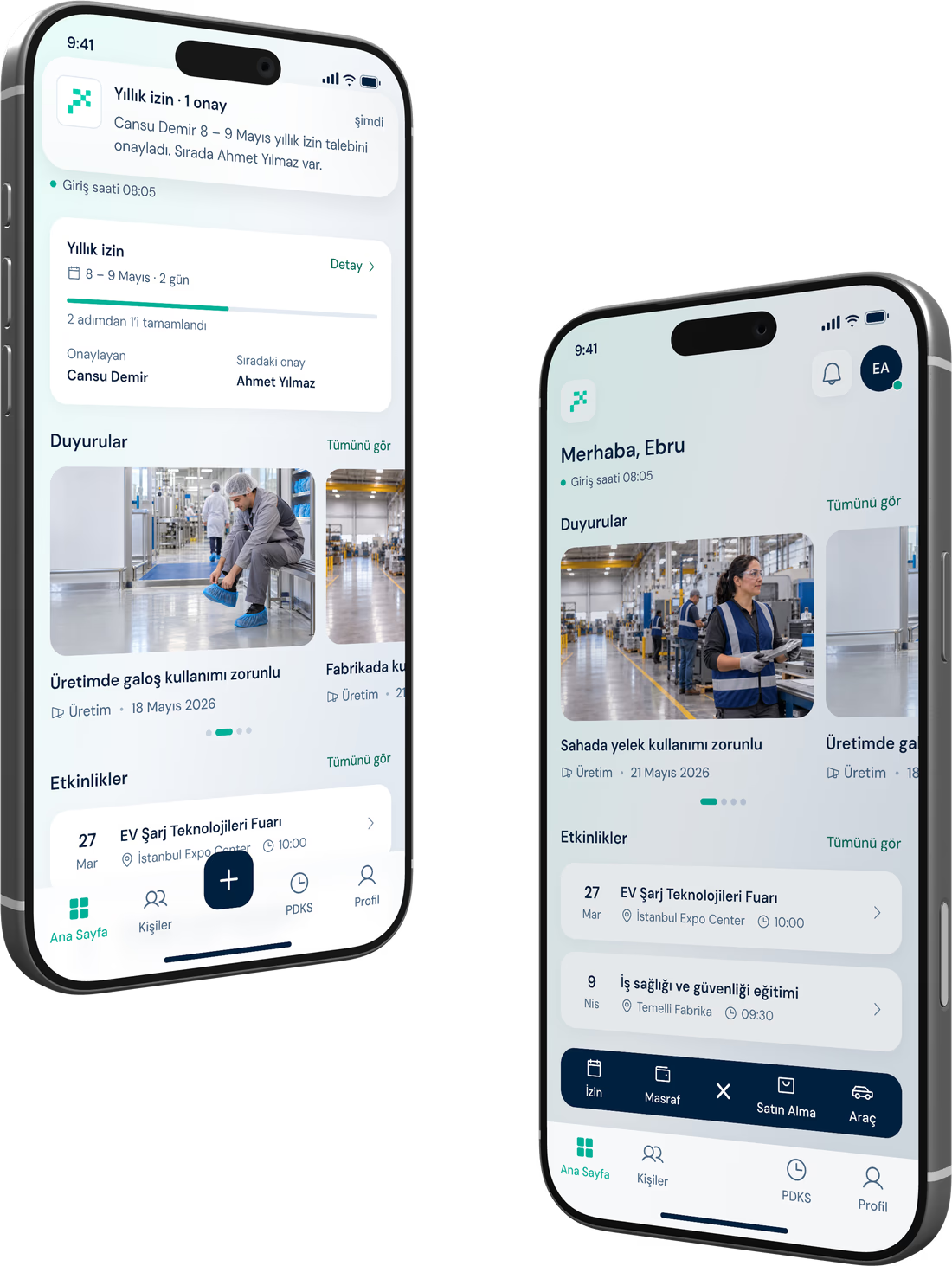
All of PeexHR, on your phone. Raise a request, approve it, follow it through. On site, on the road, out of the office — nothing stops.
- Attendance: clock in and out, overtime tracking
- Leave, advances, payroll and personnel records
- Expense claims — photograph the receipt and send
- Raise a purchase request and follow the flow
- Vehicle tracking and requests
- KVKK compliant
- ISO 27001
- ISO 9001:2015
- SSL certificate
PeexHR News
All announcements
Product update ·
Attendance charts and filters come to reports
A new chart breaks attendance down by day and shift, and views can now be saved.
Read moreProduct update ·
Attendance, redesigned
We rebuilt the clock-in screen from scratch. Shift, the day’s movements and remaining hours now sit on one screen.
Read moreMobile ·
Offline clock-in in the mobile app
Field teams clock in without a connection; records sync once it returns.
Read more
Common questions
If the answer you need is not here, write to our team and we will come back to you as soon as we can.
See all questionsHow long does setup take?
One working day. The account is created and shift and overtime rules are defined the same day; a few hours later employees start clocking in from their phones, and your reports run from the next day on.
Can I use just one module?
Yes. The modules work independently, so you can start with attendance alone or expenses alone and switch the others on as you need them. A module added later builds on the data you already have — there is no second setup.
Will it integrate with our payroll and ERP?
There are ready-made export files for the common payroll and ERP packages, and everything else connects over the REST API. Our team does the integration with you during setup.
Where is our data held?
All data is held in data centres in Türkiye and processed under KVKK. Backups run daily, access is logged, and you can export everything you hold whenever you ask.
Do employees need training?
The employee side is a handful of screens for clocking in, leave and expenses, so no separate training is needed. We run one session for managers during setup and follow it with short videos in the help centre.
How does pricing work?
You are billed monthly on the modules you use and your number of active employees. Setup and support are included, and we ask for no card details during the 14-day trial.